Animating our solar system
Published on: 2026-01-23
TL;DR
Inspired by Richard McElreath (accidentally?) not playing his animation of the heliocentric model of our solar system, I decided to recreate the animation using Makie.By now it must look like all I’m doing is animating plots with Makie… and maybe that’s true!?
Retrograde motion
Let’s start by setting up a struct to store all the information we want to keep about every planet: it’s name, the distance at which it orbits the Sun (in million kilometers), the orbit duration (in days), its color, and its diameter (size).
As you’ll see below, I’m going to be sacrificing correct size for a prettier visualisation though (otherwise we’d mostly be seeing the Sun).
using Colors

struct Planet
    name::String
    distance::Int64
    orbit::Int64
    color::Union{Symbol, Colorant}
    size::Int64
end
In addition to a way to store info about each Planet, we also need a way to store information about how the system changes over time.
I stored this information in a mutable struct I called SolarSystem.
In contrast to Planet, the SolarSystem needs to be mutable because we want it to record how the positions of the planets change over time.
mutable struct SolarSystem
    planets::Vector{Planet}
    positions::Vector{Point2f}
    function SolarSystem(planets)
        distances = distance.(planets)
        positions = [Point2f(0, d) for d in distances]
        return new(planets, positions)
    end
end
It would also have been possible to make Planet mutable and store not only the distance at which it orbis the Sun but also how far it is into its current orbit (from 0 to 360 degrees).
I don’t think there’s a strictly right option in the context of this example; I usually go with whatever I find easiest to reason about.
That being said, how you write your structs can be relevant in contexts where performance matters (see this guide about computer hardware for a thorough explanation).
With all our structs set up, the next thing will be to write some functions that allow us to access the fields of Planet and SolarSystem in a more ergonomic and “julian” way.
name(x::Planet) = x.name
distance(x::Planet) = x.distance
orbit(x::Planet) = x.orbit
color(x::Planet) = x.color
size(x::Planet) = x.size

planets(s::SolarSystem) = s.planets
positions(s::SolarSystem) = s.positions
These functions will allow us to get the orbits of many planets at the same time using broadcasting:
earth = Planet("Earth", 147, 365, colorant"#287AB8", 10)
orbit(earth) # not that special yet, earth.orbit would work, too
earths = fill(earth, 10)
orbit.(earths) # that's neat!
To animate our solar system, all that we need now is a function to caculate the positions of the system s at time t.
function step!(s::SolarSystem, t)
    angles = t ./ orbit.(planets(s)) .* 2pi
    distances = distance.(planets(s))
    s.positions = map(Point2f, zip(angles, distances))
    return s
end
In a way, the name step! for the below function is poor – it doesn’t move the system one step forward but instead calculates the positions at time t.
I decided to keep that name though since that’s what I normally use for the function that changes the plotted object in a simulation (I also found it easier to think about calculating positions like that compared to actual incremental steps, but maybe that’s just me).
With all pieces finally in place, we can move towards the actual visualisation. Let’s start with the solar system (or subset thereof) we want to plot.
solarsystem = SolarSystem([
    Planet("Mars", 212, 687, colorant"#D6723B", 5),
    Planet("Earth", 147, 365, colorant"#287AB8", 10),
])
As the first step in our plotting endeavour, I’ll create a PolarAxis with rticks where the orbits of our planets are.
I’ve also specified that the maximum distance from the sun we include in our axis (rlimits) should be 10% more than the distance of the most distant planet (max_dist * r_buffer).
using CairoMakie

r_buffer = 1.1
max_dist = maximum(distance.(planets(solarsystem)))

f = Figure(; size = (600, 600))
ax = PolarAxis(f[1, 1]; rlimits = (0, max_dist * r_buffer),
    rticks = distance.(planets(solarsystem)))

f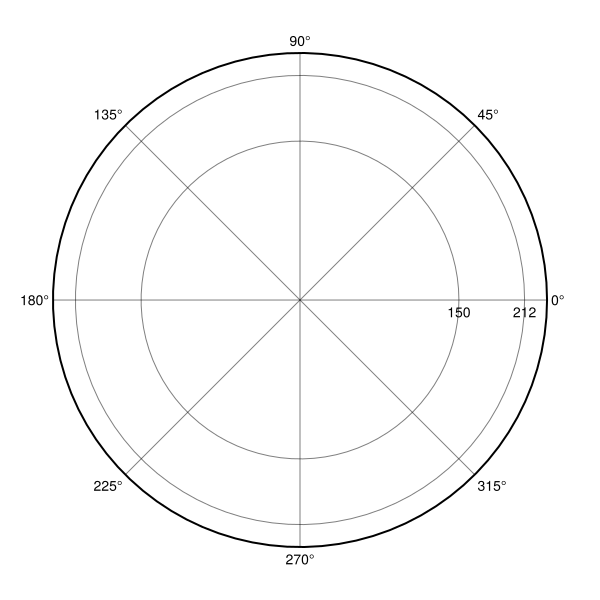
We’re now ready to draw the Sun and our planets into the axis. The sizes of the Sun and planets below isn’t to scale!
To track how an observer from Earth would view Mars – and its retrograde motion – I’ve also drawn a dashed line between these two planets.
marker_upscale = 3

# Draw the Sun
scatter!(0, 0, color = :yellow, markersize = 80)

# Connect positions of Earth and Mars
ln = lines!(positions(solarsystem), color = :grey80, linestyle = :dash)

# Draw Earth and Mars
sc = scatter!(positions(solarsystem), color = color.(planets(solarsystem)),
    markersize = size.(planets(solarsystem)) .* marker_upscale)

f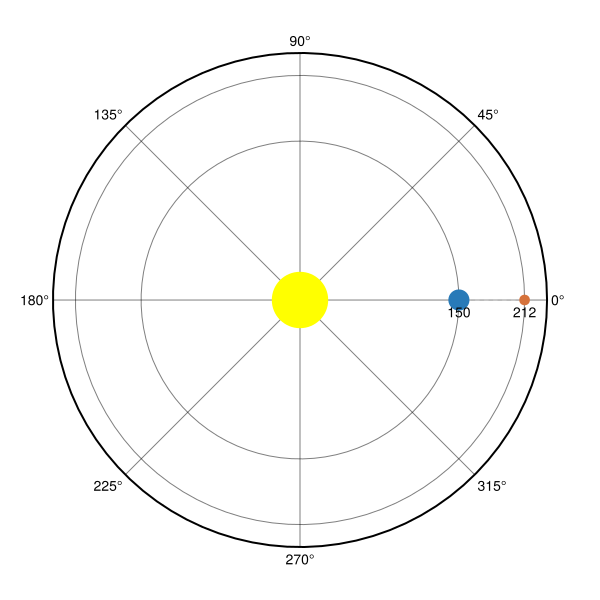
Also note that I’ve stored the plot objects of our line and scatter in ln and sc respectively.
These will become important later when we’re animating the plot.
This is looking ready to be animated, but let’s add a few final visual tweaks to make it prettier. First, we’ll hide all but the axis decorations that represent that planets’ orbits.
hidethetadecorations!(ax)
hiderdecorations!(ax, grid = false)
hidespines!(ax)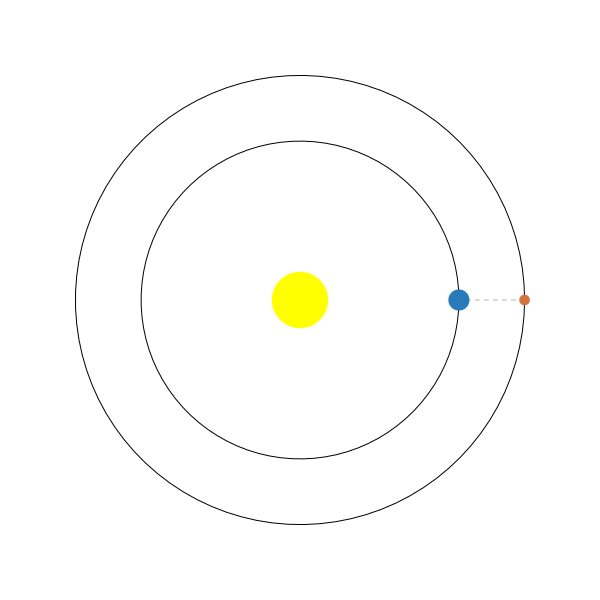
And finally, let’s paint the sky dark blue.
f.scene.backgroundcolor = colorant"#041A40"
ax.backgroundcolor = colorant"#041A40"
ax.rgridcolor = colorant"#4D6893"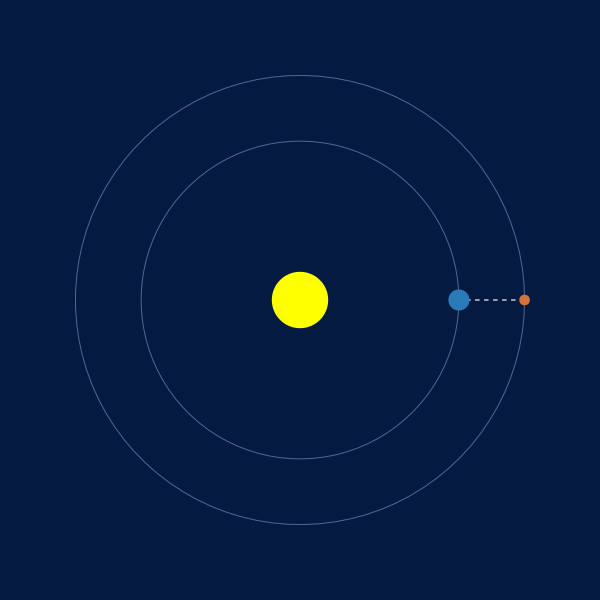
Animating this is quite straightforward since we already wrote a function that takes care of calculating the positions of our solar system at a specific time point t.
We’ll also come back to the plot objects ln and sc now; they’ll be passed to Makie’s update! function along with the updated positions.
Since the positions are the first argument of the lines! and scatter! functions, we will have to pass the new positions as the arg1 keyword to update!.
timestamps = 1:900
framerate = 60
record(f, "retrograde.mp4", timestamps; framerate) do t
	step!(solarsystem, t)
	Makie.update!(ln, arg1 = positions(solarsystem))
	Makie.update!(sc, arg1 = positions(solarsystem))
endOur solar system (almost)
As you might have noticed, our setup is easy to extend to the entire solar system. Unfortunately, plotting the entire solar system becomes a bit annoying because of the sheer distance of Uranus and Neptun from the Sun. Give it a shot and you’ll see that the innermost planets will be super squished together!
I’ve therefore limited the following animation to the solar system as it was known before the relatively recent discoveries of Uranus and Neptun in 1781 and 1846 respectively.
solarsystem = SolarSystem([
    Planet("Mercury", 36, 88, colorant"#81828A", 2),
    Planet("Earth", 150, 365, colorant"#287AB8", 6),
    Planet("Mars", 212, 687, colorant"#D6723B", 4),
    Planet("Jupiter", 780, 365 * 12, colorant"#F8CCA5", 25),
    Planet("Saturn", 1423, 365 * 29, colorant"#FCEEAD", 15),
])
As you can easily see, the planets’ sizes are anything but to scale.
We can effectively copy paste the code from our example above with the new solarsystem:
r_buffer = 1.1
marker_upscale = "Neptune" in name.(planets(solarsystem)) ? 1 : 2
max_dist = maximum(distance.(planets(solarsystem)))
backgroundcolor = colorant"#041A40"
rgridcolor = colorant"#4D6893"

f = Figure(; size = (600, 600), backgroundcolor)
ax = PolarAxis(f[1, 1]; rlimits = (0, max_dist * r_buffer),
    rticks = distance.(planets(solarsystem)), rgridcolor, backgroundcolor)

sc = scatter!(positions(solarsystem), color = color.(planets(solarsystem)),
    markersize = size.(planets(solarsystem)) .* marker_upscale)

hidethetadecorations!(ax)
hiderdecorations!(ax, grid=false)
hidespines!(ax)

timestamps = 1:900
framerate = 60
record(f, "oursystem.mp4", timestamps; framerate) do t
	step!(solarsystem, t)
	Makie.update!(ln, arg1 = positions(solarsystem))
	Makie.update!(sc, arg1 = positions(solarsystem))
endThat’s it! I hope that this newfound knowledge about retrograde motion will protect you from those snakeoil salesman who will try to convince you that something supernatural is going on!
Oh, and if you want to give Uranus and Neptun a shot, you may try these specifications:
Planet("Uranus", 2914, 365 * 29, colorant"#8DC9EE", 10)
Planet("Neptune", 4470, 365 * 165, colorant"#2E5D9D", 10)
Version and package info:
Julia Version 1.11.8
Commit cf1da5e20e3 (2025-11-06 17:49 UTC)
Build Info:
  Official https://julialang.org/ release
Platform Info:
  OS: macOS (arm64-apple-darwin24.0.0)
  CPU: 8 × Apple M1 Pro
  WORD_SIZE: 64
  LLVM: libLLVM-16.0.6 (ORCJIT, apple-m1)
Threads: 1 default, 0 interactive, 1 GC (on 6 virtual cores)
Status `~/retrograde/Project.toml`
[13f3f980] CairoMakie v0.15.8
[5ae59095] Colors v0.13.1
[ee78f7c6] Makie v0.24.8